Maximum refresh rate depends on more than panel type; pixel response, display electronics, resolution, cable bandwidth, GPU output, and motion tuning all matter.
Panel Physics Set the Speed Ceiling
Every panel technology changes pixels differently, and that affects how far refresh rate can scale before blur, ghosting, or inverse artifacts become distracting.
TN panels have historically reached the highest LCD refresh rates because their liquid crystal transitions are fast. The trade-off is weaker color and viewing angles, which is why TN still appeals to esports-first players more than creators or immersive gamers.
 IPS has become the modern balanced choice. Fast IPS panels can now deliver high refresh rates while keeping strong color and wide viewing angles, making them a reliable pick for hybrid gaming, office work, and content workflows.
VA panels prioritize contrast. Their deeper blacks support cinematic immersion, but slower dark-level transitions can limit clean motion at very high Hz, especially in shadow-heavy scenes. That is why VA can feel excellent at 144Hz or 165Hz, while model quality matters heavily above that.
OLED is different because its pixels emit their own light and switch extremely quickly. That gives OLED a major motion advantage, and near-instantaneous response times are the reason high-refresh OLED monitors can look cleaner than many LCDs at the same Hz.
Response Time Must Keep Up With Refresh Rate
A refresh cycle gets shorter as Hz rises. At 60Hz, each refresh lasts about 16.7 ms. At 144Hz, it drops to about 6.9 ms. At 240Hz, it is only about 4.2 ms.
If pixels cannot complete their transition inside that window, the monitor may still accept the refresh signal, but motion clarity suffers. That is the difference between “supports 240Hz” and “looks sharp at 240Hz.”
 TN is usually the fastest LCD option and remains best suited to pure esports speed. IPS balances strong speed with better color and viewing angles. VA delivers better contrast but carries more risk of dark smearing. OLED has the fastest pixel response and often provides the cleanest motion.
This is also why panel labels are not enough. A well-tuned IPS can outperform a weak VA in motion, while a premium VA can look far better than its reputation suggests.
Electronics, Resolution, and Bandwidth Decide the Real Limit
The panel is only one part of the refresh-rate chain. The scaler, timing controller, firmware tuning, port standard, cable, GPU, and operating system setting all decide what refresh rates are actually available.
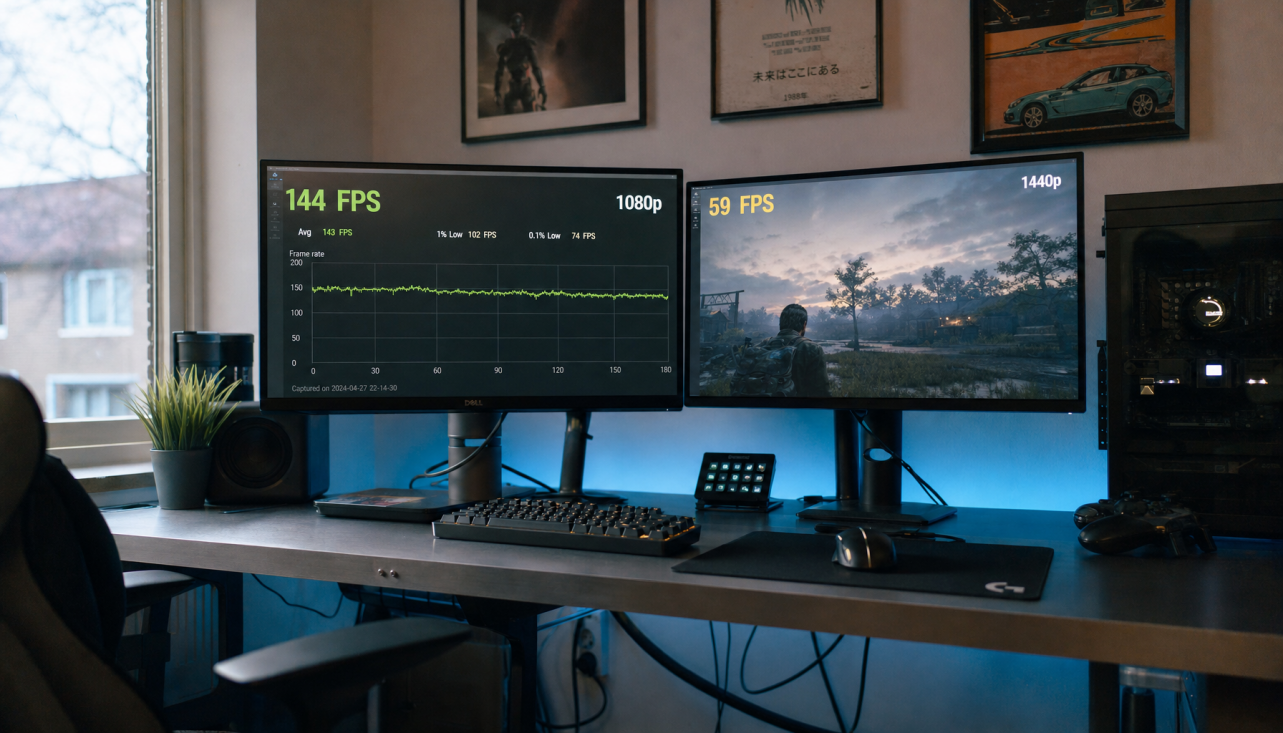
A monitor running 1080p at 240Hz is much easier to drive than 4K at 240Hz because the system must push far more pixels every second. The GPU also has to render frames close to the monitor’s refresh rate; otherwise, the display’s top speed is underused.
 For high-refresh gaming, frame rate and refresh rate need to work together. A 240Hz monitor feels most valuable when the PC can produce frame rates near 240 FPS in the games you actually play.
System display settings matter too. Available refresh rates depend on the display, current resolution, and hardware support, and users may need to manually select the right mode in advanced display settings.
4_user_os_settings: Configuring Your Monitor’s Maximum Refresh Rate
Best Panel Choices by Refresh-Rate Goal
For value-focused competitive play, Fast IPS is the safest modern recommendation. It offers the speed most players need, better image quality than TN, and broad availability from 144Hz through 240Hz and beyond.
For pure reaction-speed esports, TN can still make sense when the only priority is maximum Hz at minimum latency. The compromise is visual richness.
For immersive single-player gaming and movies, VA is compelling because its high contrast creates deeper blacks and stronger depth. The IPS vs VA trade-off is usually speed consistency versus cinematic contrast.
For premium high-refresh immersion, OLED is the cleanest motion option, especially at 240Hz-class speeds. The value check is burn-in risk, brightness behavior, and price.
A practical buying rule: choose 100Hz to 120Hz for smoother productivity, 144Hz to 180Hz for high-value gaming, 240Hz for serious competitive play, and OLED or top-tier Fast IPS when motion clarity matters as much as the number on the box.